Features
Everything a solo operator needs
MyHubMyWay does the office work of a service business — clients, quotes, jobs, invoices, follow-ups — without the bloat of systems built for sales teams.
Your client list, instantly searchable Every client with phone, email, address, notes, tags and history. Search by name, email, suburb or phone and find anyone in one second. Mark your best clients with a gold/silver star. Set follow-up reminders that appear on your dashboard when due.
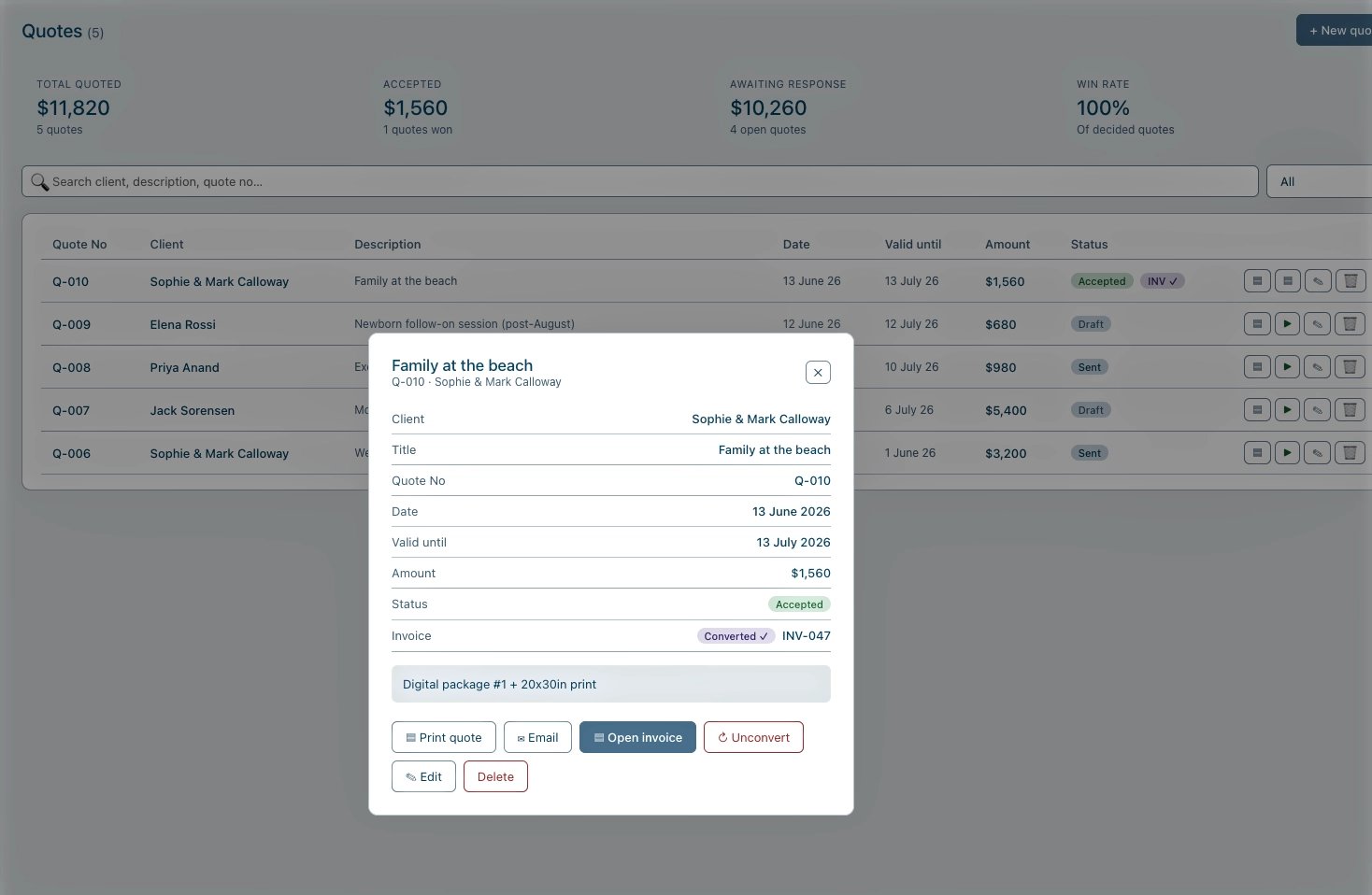
Quotes that win work — then become invoices Create a quote in under a minute, print it or email it, and set a valid-until date. When the client says yes, click Convert to Invoice — done, no retyping. The Quotes page tracks what’s outstanding, what’s won, and your win rate.
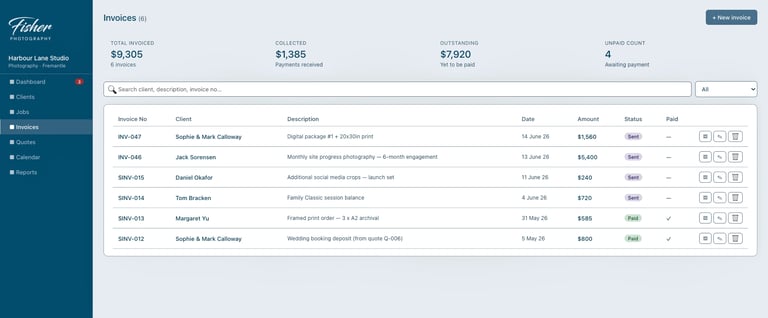
Invoices that look like you mean business Your business name, contact details and bank account on every invoice, with a live preview as you type. Print, save as PDF, or open a pre-written email with the amounts and payment reference already filled in.
One-Time Payment
Pay AU$149 once, no ongoing fees.
Offline Access
Your data stays on your computer.
Built for solo businesses
Designed by a working solo operator
Set Products to Suit Your Business
Order it in your business name and update services
Your data, protected
Everything saves automatically as you work. One-click backup produces a single file containing your entire business — keep it in your cloud drive or on a USB stick, and you can never lose your client list. A plain-English Setup & Backup Guide is included.
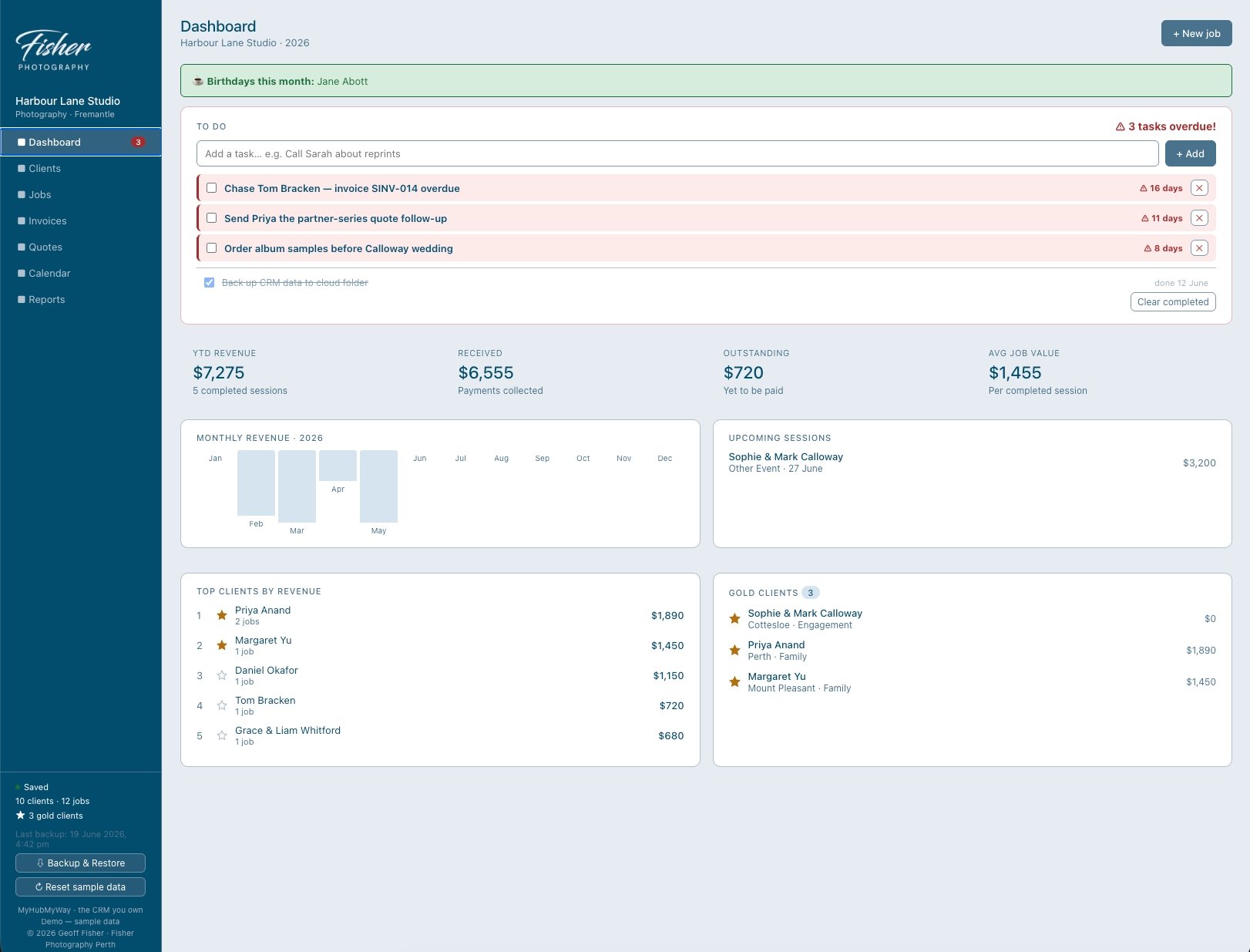
A dashboard that runs the business
Revenue by month, money outstanding, upcoming sessions, top clients — and a built-in to-do list that quietly escalates: items turn amber after three days and red after seven. Nothing slips.
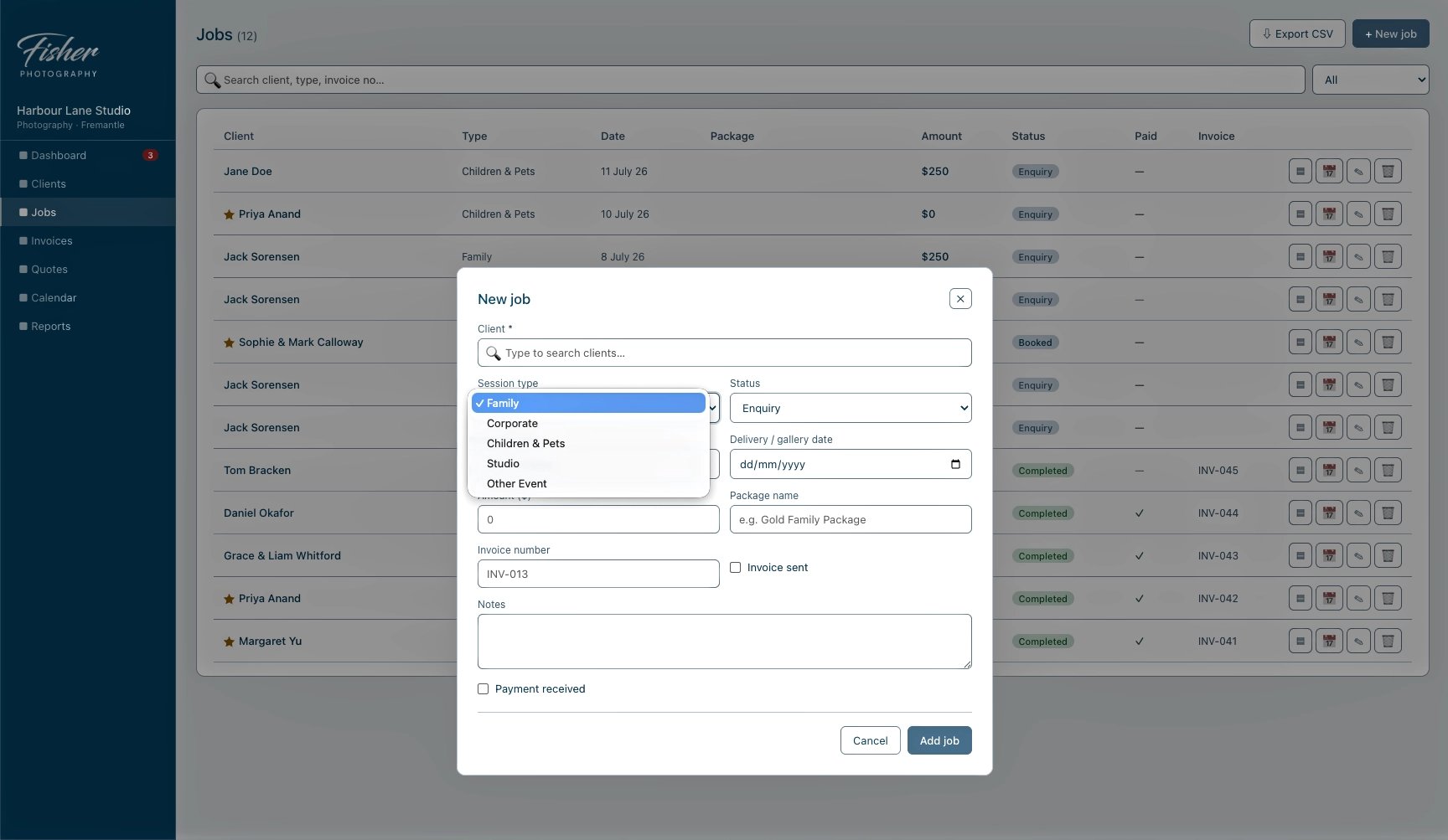
Jobs Quotes and bookings
Track every job from enquiry/quote to paid invoice. One click adds a session to your Apple or Google Calendar with the client’s details and address attached. Your Calendar is viewable right inside the CRM.